


 Sisra Analytics
Statutory assessment
Enter multiplication tables check results
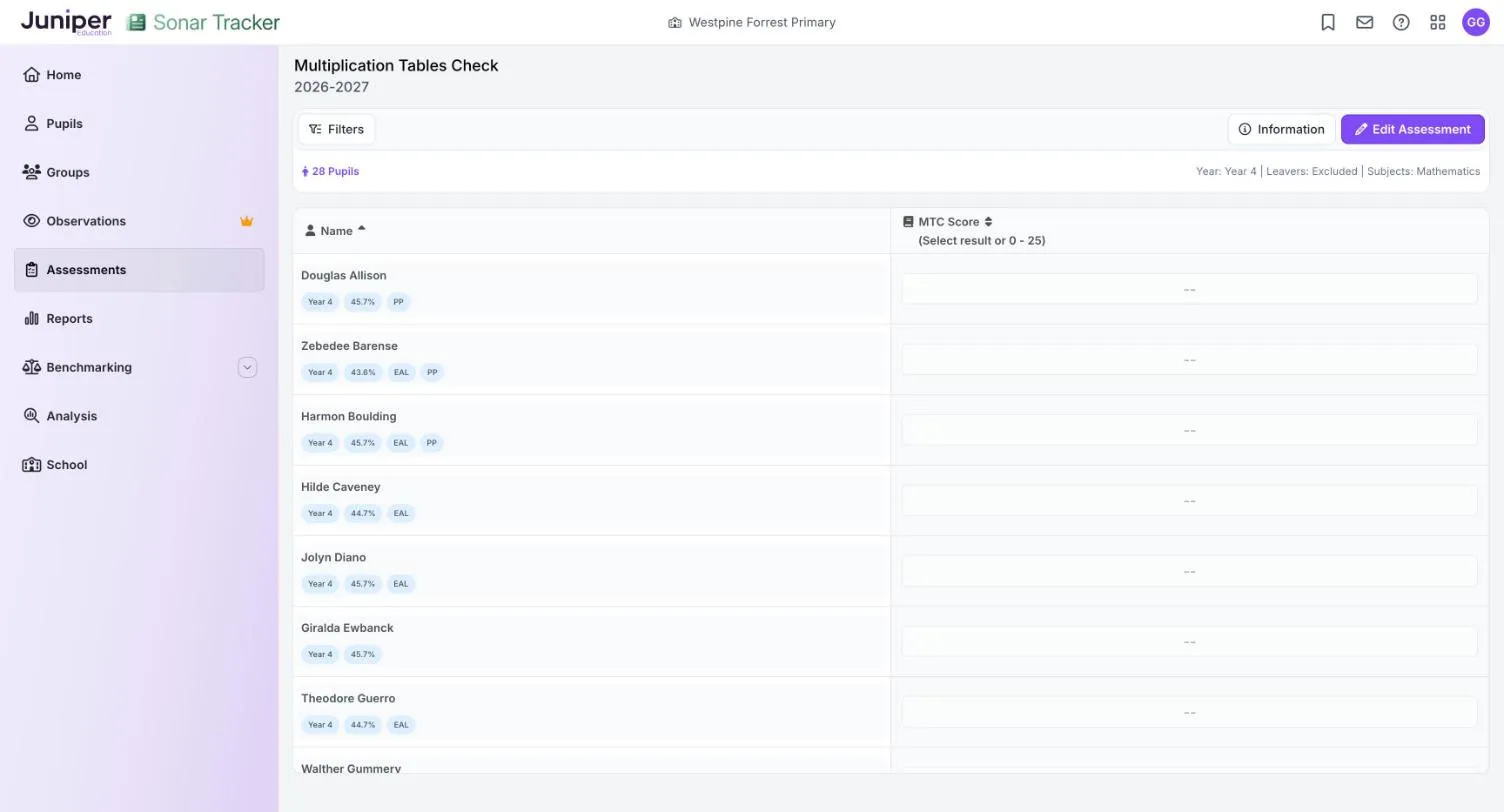
Year 4 pupils take the multiplication tables check (MTC) in June. Record each pupil’s score out of 25, or a code explaining why they have no score, on the Multiplication Tables Check page.
Before you start
Section titled “Before you start”You need:
- an edit role, such as Full Edit or Partial Edit
- your school’s results from the Standards and Testing Agency (STA)
If you have the results as a common transfer file (CTF), import them instead of typing them. Enter scores by hand only for one or two pupils. See Import and export statutory data.
About the check
Section titled “About the check”The check is statutory for year 4 pupils in maintained schools, academies and special schools. It has 25 questions on the 2 to 12 times tables, so scores run from 0 to 25. There is no pass mark.
In the 2026 to 2027 academic year, the check runs from 7 to 18 June 2027. Schools can see their results from 28 June 2027. The 2027 key stage 2 assessment and reporting arrangements on GOV.UK cover the check.
Enter scores
Section titled “Enter scores”- Go to Assessments.
- In the Statutory Assessments card, select Multiplication Tables Check.
- In the Select Pupils box, choose Year 4 from the Year Group list.
- Select Open Assessment.
- Select Edit Assessment.
- In Assessment Date, enter the date the pupils took the check.
- Select Start Editing.
- In the MTC Score column, enter the pupil’s score from 0 to 25, or choose a code.
Each result saves as soon as you enter it. If you enter a number outside 0 to 25, the cell turns red and Sonar does not save it.
MTC codes
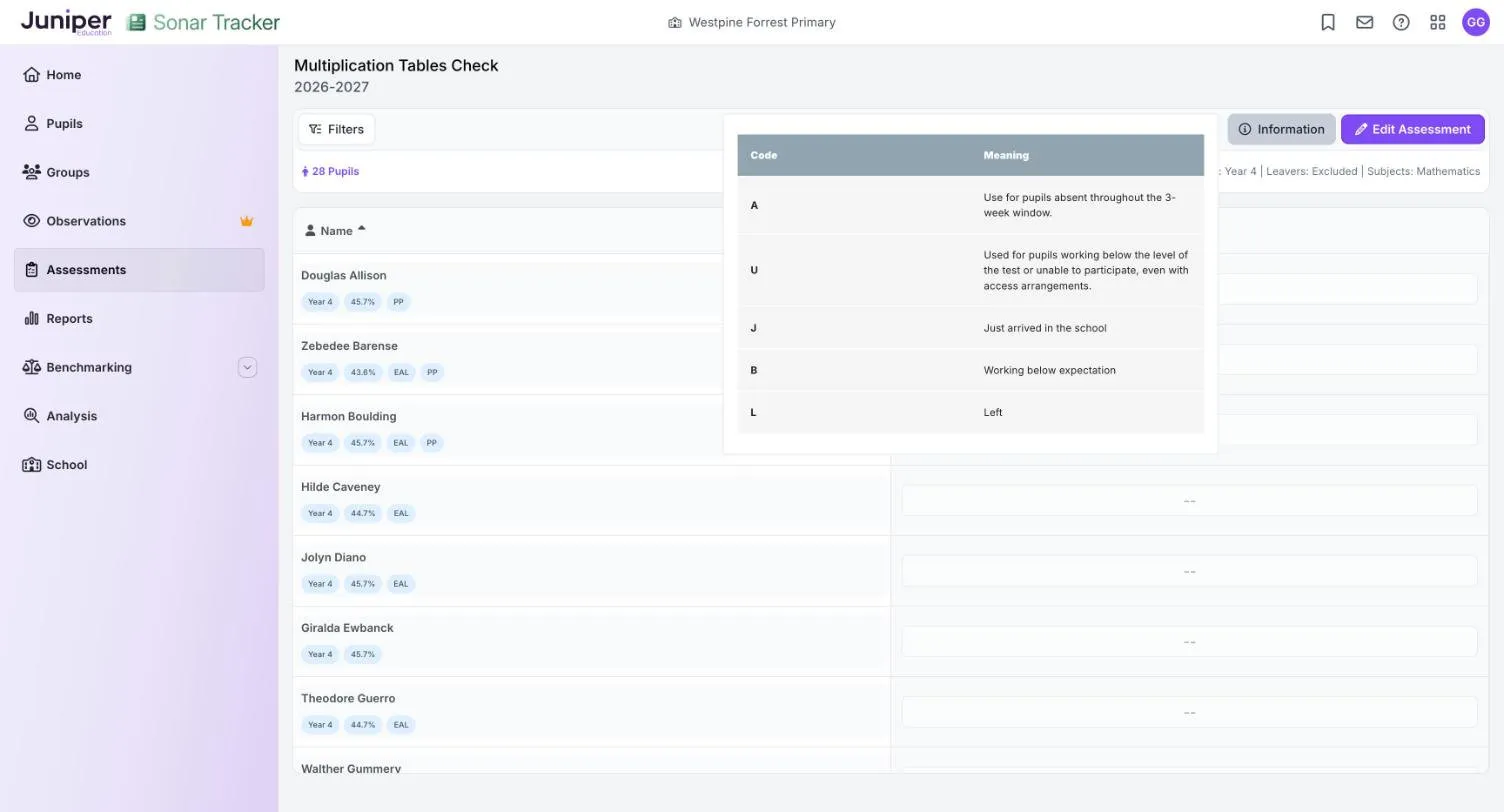
Section titled “MTC codes”Use a code when a pupil has no score.
| Code | Meaning |
|---|---|
| A | Absent throughout the 3-week window |
| U | Working below the level of the test, or unable to participate even with access arrangements |
| J | Recently arrived in the school |
| B | Working below expectation |
| L | Left |
How Sonar reports the results
Section titled “How Sonar reports the results”The Statutory Dashboard shows three MTC figures:
| Figure | What it shows |
|---|---|
| Average Score | The mean score out of 25 |
| Achieved 20/25 or greater | The percentage of pupils who scored 20 or more |
| Achieved 25/25 | The percentage of pupils who scored full marks |
The 20 or more figure is Sonar’s own, not a DfE measure. The dashboard refreshes overnight.
Scores also appear in the Y4 MTC column of the Primary Flight Path report when you choose Mathematics.
If something goes wrong
Section titled “If something goes wrong”The cell turns red. The value is outside 0 to 25, or it is not one of the codes. Enter a score or choose a code from the list.
A pupil is missing. New pupils arrive from your management information system (MIS) overnight, and leavers are hidden unless you change the Leavers filter. See Include leavers.
Scores are missing after an import. See If something goes wrong on the import and export page.