


 Sisra Analytics
Statutory assessment
Enter EYFS profile results
The EYFS profile records whether each child has reached the expected level in the 17 early learning goals (ELGs) by the end of reception. Enter the results on the Early Years Foundation Stage Profile (EYFSP) page in the summer term, once the profile is complete.
Before you start
Section titled “Before you start”You need:
- an edit role, such as Full Edit or Partial Edit
- each child’s completed profile, and the date it was completed
Stand-alone schools that have entered the profile in their management information system (MIS) can import the results with a common transfer file (CTF) instead. See Import and export statutory data.
What the profile records
Section titled “What the profile records”The Standards and Testing Agency (STA) sets the rules in its EYFS profile handbook on GOV.UK. It says that:
- each child is judged against every ELG as expected or emerging
- the profile must be completed, and the results submitted to the local authority, no later than 30 June
- a good level of development (GLD) means the expected level in every ELG for the three prime areas, literacy and mathematics
These are the 17 goals, and the 12 that count towards GLD:
| Area of learning | Early learning goals | Counts towards GLD |
|---|---|---|
| Communication and Language | Listening, Attention and Understanding; Speaking | Yes |
| Personal, Social and Emotional Development | Self-Regulation; Managing Self; Building Relationships | Yes |
| Physical Development | Gross Motor Skills; Fine Motor Skills | Yes |
| Literacy | Comprehension; Word Reading; Writing | Yes |
| Mathematics | Number; Numerical Patterns | Yes |
| Understanding the World | Past and Present; People, Culture and Communities; The Natural World | No |
| Expressive Arts and Design | Creating with Materials; Being Imaginative and Expressive | No |
The codes
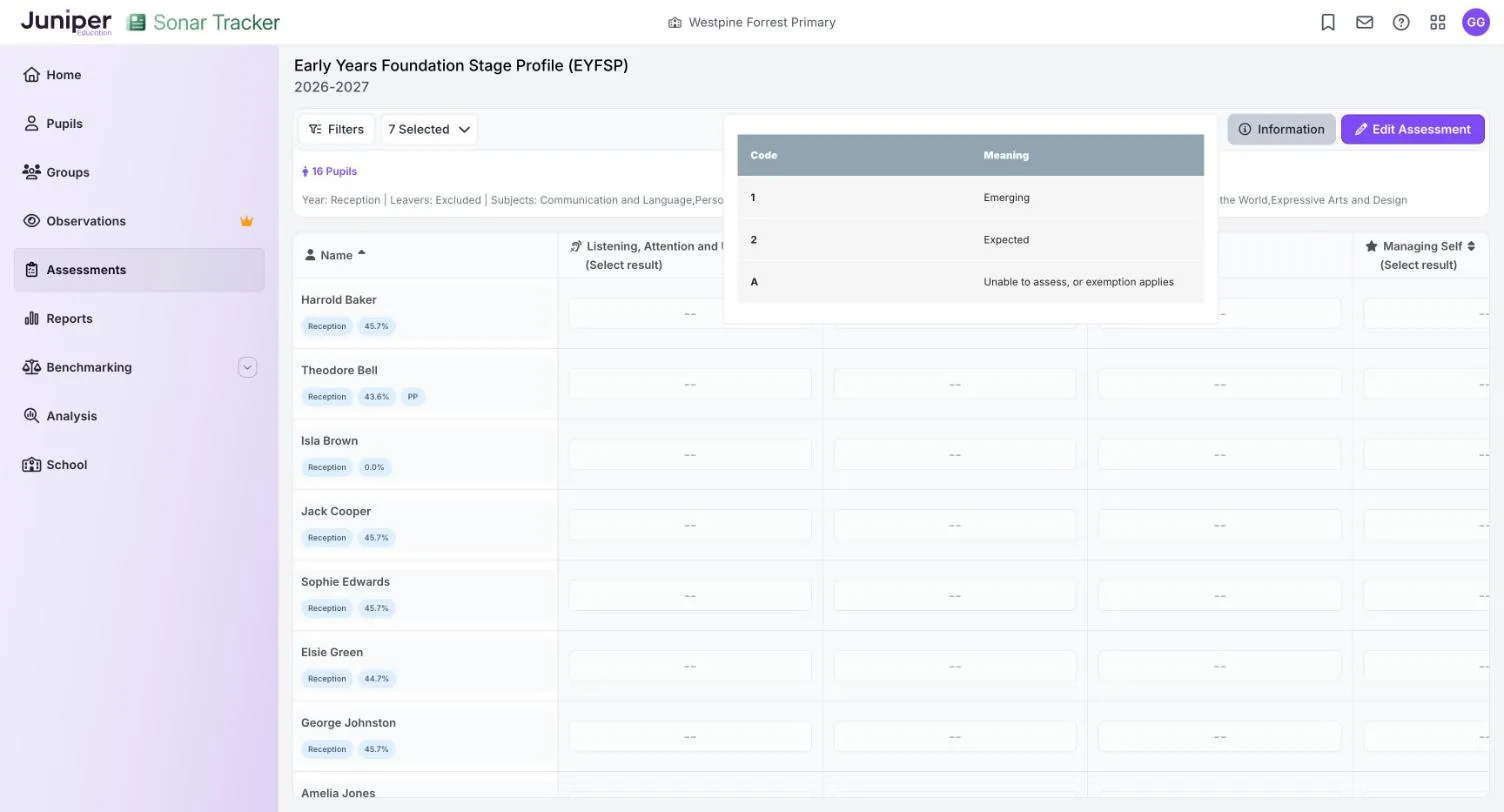
Section titled “The codes”In Sonar you record each ELG with a code:
| Code | Meaning in Sonar’s Information key |
|---|---|
| 1 | Emerging |
| 2 | Expected |
| A | Unable to assess, or exemption applies |
Enter the results
Section titled “Enter the results”- Go to Assessments.
- In the Statutory Assessments card, select Early Years Foundation Stage Profile (EYFSP).
- In the Select Pupils box, choose Reception from the Year Group list.
- Select Open Assessment.
- Select Edit Assessment.
- In Assessment Date, enter the date the profile was completed.
- Select Start Editing.
- Select a child’s cell under a goal, then choose 1, 2 or A.
Each result saves as soon as you choose it. You can also type the code into the cell.
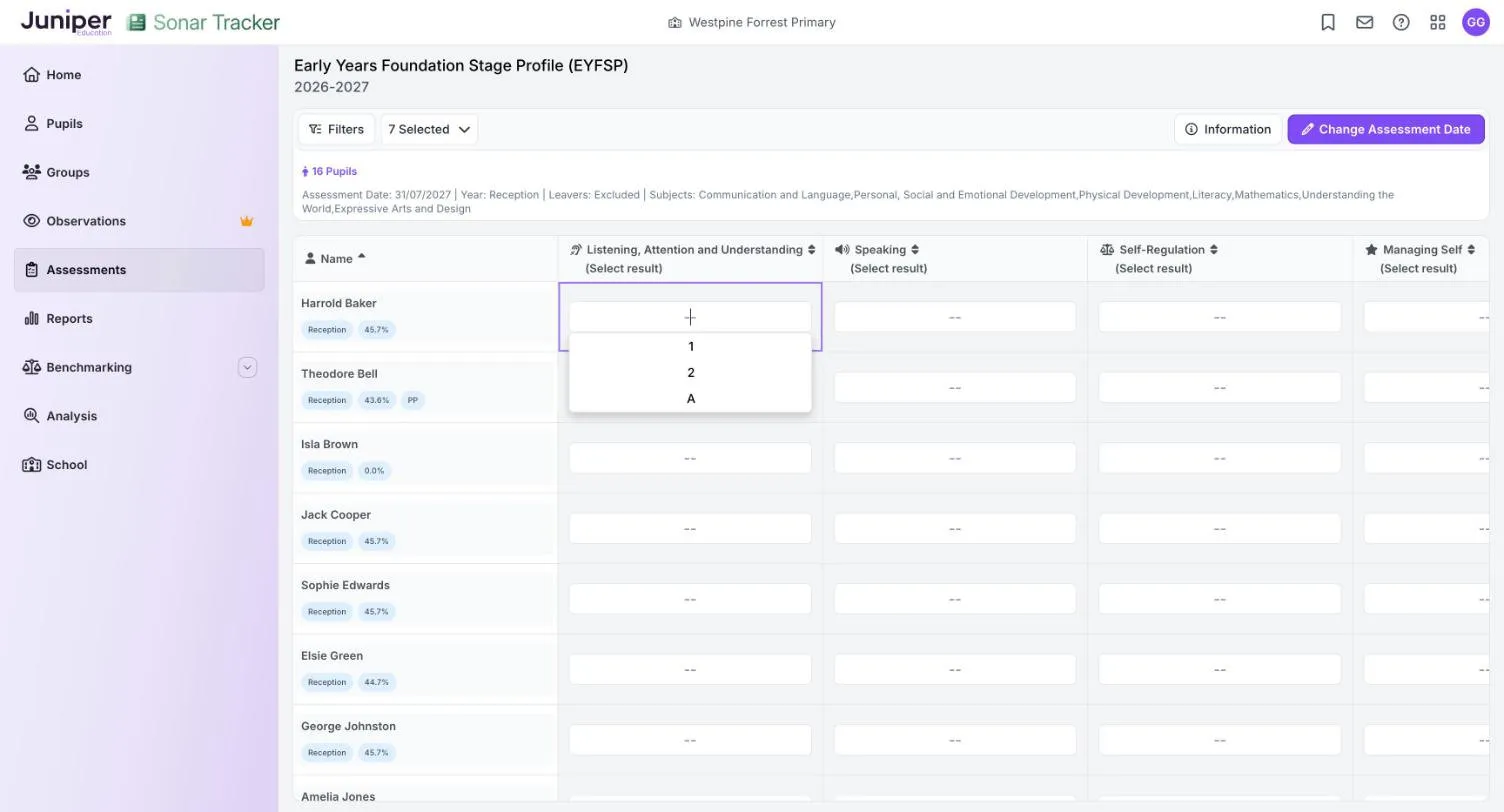
The page opens with all seven areas of learning, shown as 7 Selected. To work on fewer goals at a time, open that list and untick the areas you do not need.
Choose a date Sonar accepts
Section titled “Choose a date Sonar accepts”Sonar does not save a result whose date it cannot accept. Instead it shows a message such as Error: Result date 2027-07-31 is not valid, with a red label under the cell. To fix it:
- Select Change Assessment Date.
- Enter the date the profile was completed, in the summer term of the child’s reception year.
- Select Start Editing.
- Enter the result again.
The date Sonar suggests when you start editing may not be one it accepts, so check it before you enter anything. If the completion date is still refused, contact support.
Summative judgements and ELG results
Section titled “Summative judgements and ELG results”ELG results are the statutory outcome, entered once at the end of reception. They are separate from the summative judgements, such as Just At, that you make through the year on EYFS Summative Assessment (New). Neither fills in the other: a child judged Securely At in every area at summer 2 still needs a result for each ELG here. See Summative judgements and the EYFS profile.
Where the results appear
Section titled “Where the results appear”ELG results appear in:
- the End of Reception Outcomes report
- the EYFS Profile section of the Statutory Dashboard, which shows Good Level of Development, Achieved All Goals and Average Number of Goals
- the reception columns of the Primary Flight Path report, such as ELG Word Reading and GLD
- the EYFS GLD column of the Primary Triangulation of Data Analysis report
- the Triangulate panel on the primary summative page, once the children reach year 1
The Statutory Dashboard refreshes overnight. Its EYFS figures count only children with a result in all 17 ELGs.
Send the results to your local authority
Section titled “Send the results to your local authority”The return to your local authority is a CTF made in your MIS. In a Portal-linked school, results you enter in Sonar pass to Juniper MIS automatically, and you make the return from there.
A stand-alone school exports the results from Sonar with EYFS Profile Data Export, imports the file into its own MIS, then makes the return. The export flags a child who has A for some goals but not all. If a child’s exemption covers only some goals, contact support before you export. See Export a CTF from a stand-alone school.
If something goes wrong
Section titled “If something goes wrong”The message says the result date is not valid. Sonar has not saved the result. See Choose a date Sonar accepts.
A child is missing. New children arrive from your MIS overnight, and leavers are hidden unless you change the Leavers filter. See Include leavers.
Children are missing from the dashboard’s EYFS figures. One missing ELG result leaves a child out. Fill the gaps, then wait for the overnight refresh.