


 Sisra Analytics
Statutory assessment
Enter key stage 2 results
Year 6 pupils take the key stage 2 (KS2) national curriculum tests in May, often called SATs, and schools submit teacher assessment in June. Record both on the End of Key Stage Two page, usually by importing your school’s results file after results day.
Before you start
Section titled “Before you start”You need:
- an edit role, such as Full Edit or Partial Edit, to enter or check results
- your pupils’ test results and teacher assessment judgements
Someone with an admin role, such as Account Owner or Account Admin, usually imports the results file.
Key dates for 2026 to 2027
Section titled “Key dates for 2026 to 2027”| Date | What happens |
|---|---|
| 10 May 2027 | Grammar, punctuation and spelling (GPS) papers 1 and 2 |
| 11 May 2027 | Reading test |
| 12 and 13 May 2027 | Maths papers 1, 2 and 3 |
| 29 June 2027 | Deadline for submitting teacher assessment to the Standards and Testing Agency (STA) |
| 6 July 2027 | Results and scaled score conversion tables published |
STA can change these dates. The 2027 key stage 2 assessment and reporting arrangements on GOV.UK give the full timetable.
How KS2 results work
Section titled “How KS2 results work”The reading, maths and GPS tests each give a raw score, which STA converts to a scaled score from 80 to 120. A scaled score of 100 or more meets the expected standard. In reading and maths, 110 or more is the higher standard. Understanding scaled scores at key stage 2 on GOV.UK explains the conversion.
Schools must submit teacher assessment in writing and science for every pupil. In reading and maths, they submit it only for pupils working below the standard of the tests. These pupils are assessed against the pre-key stage standards or the engagement model. Greater depth applies only to writing.
Get results into Sonar after results day
Section titled “Get results into Sonar after results day”On results day, STA makes your pupils’ results available on the NCA Portal, its online service for national curriculum assessments. Download them as a common transfer file (CTF) and import the file, rather than typing the results.
Portal-linked schools
Section titled “Portal-linked schools”Portal-linked schools import the file into Juniper MIS, Juniper Education’s management information system (MIS).
- Download your school’s results from the NCA Portal as a CTF.
- Rename the file in the DfE format. See Rename a downloaded CTF.
- Import the file into Juniper MIS. The help centre article MIS: How do I import a CTF? explains how.
- In Sonar, open End of Key Stage Two for Year 6 and check the results.
Stand-alone schools
Section titled “Stand-alone schools”Download your school’s results from the NCA Portal as a CTF, then import it with Send a file to Sonar on the School page, ticking KS2. The results are usually ready within an hour. Then open End of Key Stage Two for Year 6 and check them. Import a CTF in a stand-alone school has the full steps.
Scaled scores and conversion tables
Section titled “Scaled scores and conversion tables”Until that year’s conversion tables are in Sonar, the scaled score columns show Not yet available. Juniper adds the tables on results day, after STA publishes them, and confirms it on the help centre’s Status Updates page. From then on, Sonar works out scaled scores from the raw scores. Scaled scores already in a CTF are imported as they are.
Enter results by hand
Section titled “Enter results by hand”Type results only for one or two pupils, such as a pupil missing from the file.
- Go to Assessments.
- In the Statutory Assessments card, select End of Key Stage Two.
- In the Select Pupils box, choose Year 6 from the Year Group list.
- Select Open Assessment.
- Choose English, Mathematics or Science from the subject list.
- Select Edit Assessment.
- In Assessment Date, enter the date of the tests or of the teacher assessment.
- Select Start Editing.
- Select a cell and enter a mark, or choose a code.
Each result saves as soon as you enter it. In reading and maths, Sonar takes a test mark or a teacher assessment for each pupil, not both. Once one is entered, Sonar locks the other column for that pupil and subject.
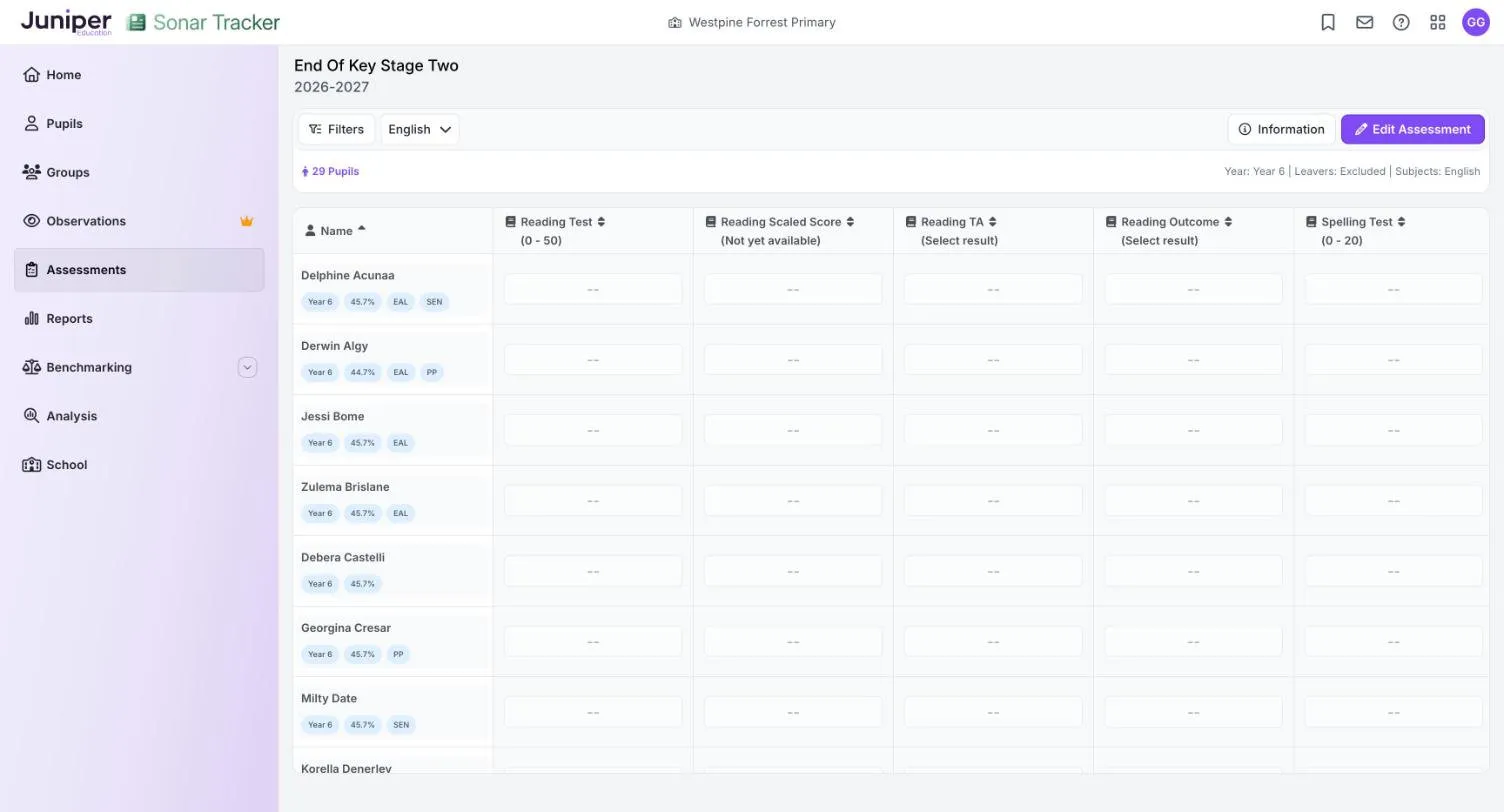
What each view shows
Section titled “What each view shows”The subject list has four views. Columns ending in TA hold teacher assessment. Outcome columns hold the test outcome, or a code explaining a missing mark.
English
Section titled “English”| Column | What it holds |
|---|---|
| Reading Test | The reading test mark, 0 to 50 |
| Reading Scaled Score | The reading scaled score, worked out by Sonar |
| Reading TA | Teacher assessment, only for pupils working below the standard of the test |
| Reading Outcome | AS, NS or a code |
| Spelling Test | The spelling paper mark, 0 to 20 |
| GPV Test | The grammar, punctuation and vocabulary questions paper, 0 to 50 |
| GPS Test Total | The GPS total, 0 to 70 |
| GPS Scaled Score | The GPS scaled score, worked out by Sonar |
| GPS Outcome | AS, NS or a code |
| Writing TA | Writing teacher assessment, for every pupil |
Mathematics, Science and Summary
Section titled “Mathematics, Science and Summary”Mathematics holds the maths test marks, the scaled score and the outcome, plus teacher assessment for pupils working below the standard of the test. Science holds science teacher assessment for every pupil.
Summary shows one result per pupil for each subject: the scaled score if the pupil took the test, otherwise the teacher assessment. Its columns are Reading, GPS, Writing, Mathematics and Science. It is read-only, so it has no Edit Assessment button.
KS2 codes
Section titled “KS2 codes”Select Information on the page to see the codes for the subject you are viewing.
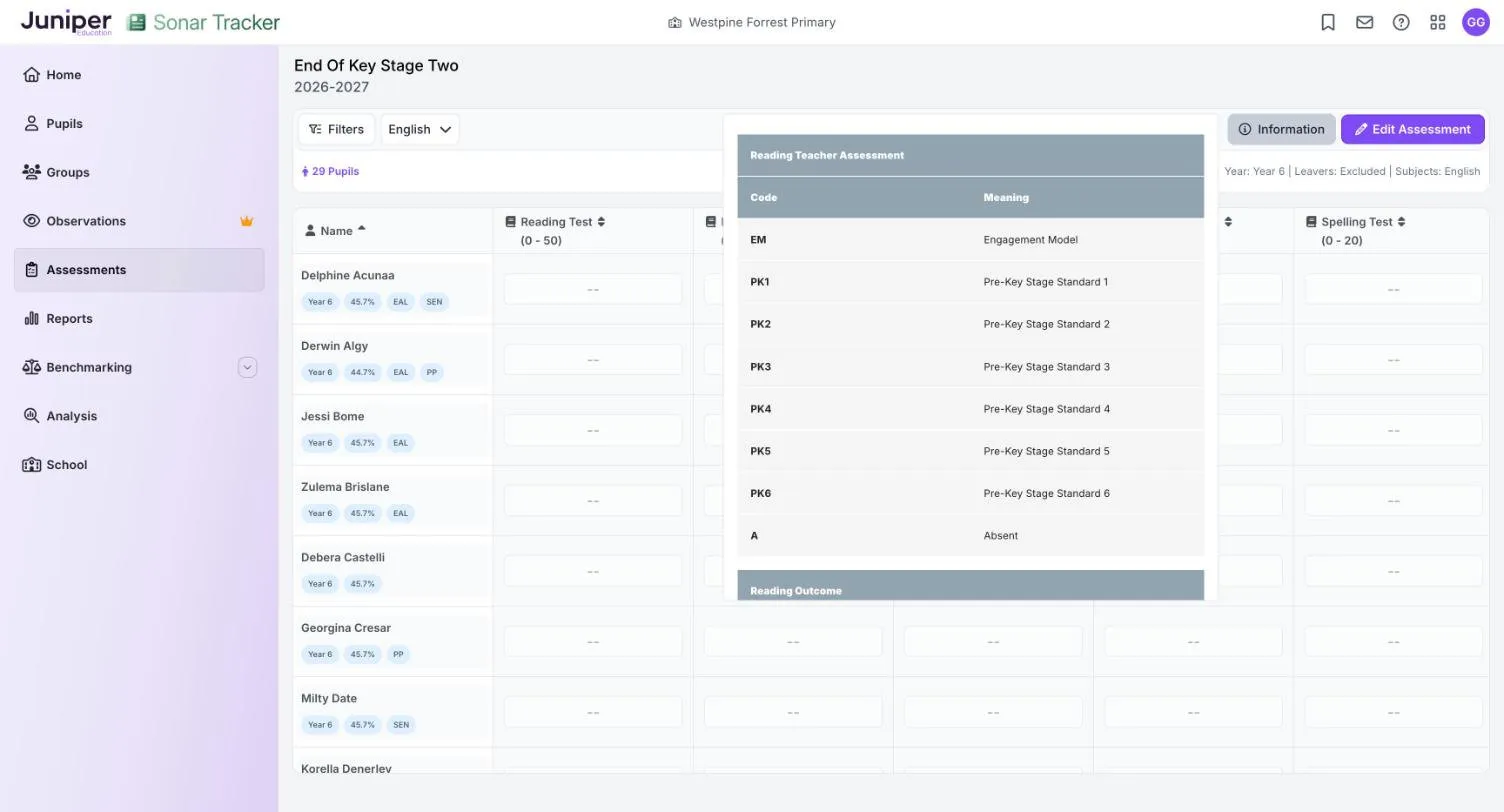
Teacher assessment
Section titled “Teacher assessment”| Code | Meaning | Used in |
|---|---|---|
| GDS | Working at greater depth at the expected standard | Writing |
| EXS | Working at the expected standard | Writing, science |
| WTS | Working towards the expected standard | Writing |
| HNM | Has not met the expected standard | Science |
| PK1 to PK6 | Pre-key stage standards 1 to 6 | Reading, writing, maths |
| EM | Engagement model, for pupils working below PK1 | Reading, writing, maths |
| A | Absent, or arrived too recently for a judgement | All subjects |
| L | Left the school | Writing, science |
| F | Will complete the key stage in a future year | Writing, science |
| P | Completed the key stage in a previous year | Writing, science |
Test outcomes
Section titled “Test outcomes”Reading, GPS and maths outcomes use these codes:
| Code | Meaning |
|---|---|
| AS | Achieved standard |
| NS | Not achieved standard |
| A | Absent |
| B | Working below the standard of the test |
| H | Pupil cheating |
| J | Recently arrived in the school |
| L | Left |
| M | Missing |
| U | Unable to access test |
| F | Pupil will take the test in the future |
| P | Pupil has taken the test in the past |
Send teacher assessment to STA
Section titled “Send teacher assessment to STA”Sonar cannot send results to STA. Schools submit teacher assessment on the NCA Portal by the deadline, usually as a CTF from their MIS. A Portal-linked school exports the CTF from Juniper MIS. A stand-alone school first exports the results from Sonar with KS2 Data Export, then imports them into its MIS. See Import and export statutory data.
Special consideration
Section titled “Special consideration”The End of Key Stage Two page has no column or setting for special consideration. If STA grants special consideration to a pupil, contact support before you change any of their results in Sonar.
Where the results appear
Section titled “Where the results appear”KS2 results appear in:
- the End of Key Stage 2 Outcomes report, which needs teacher assessment and, for scaled scores, the conversion tables
- the Key Stage Two section and KS2 headlines of the Statutory Dashboard, which refresh overnight
- the KS2 columns of the Primary Flight Path report
- the Assessment Conversion Matrix, which can compare KS2 results with earlier results such as KS1 teacher assessment
After the new academic year starts, last year’s year 6 pupils appear under Year 7. See Find results for year 7 and leavers.
If something goes wrong
Section titled “If something goes wrong”Scaled scores show Not yet available. That year’s conversion tables are not in Sonar yet. On results day, check the Status Updates page.
You cannot enter teacher assessment in reading or maths. The pupil already has a test mark in that subject. Pupils who took the test do not need teacher assessment in reading or maths.
Results are missing after an import. See If something goes wrong on the import and export page.
A pupil is missing. New pupils arrive from your MIS overnight, and leavers are hidden unless you change the Leavers filter. See Include leavers.