


 Sisra Analytics
Observations
About observations
An observation is a short note or photo of a pupil’s learning, tagged to the pupils involved. Observations sit in Sonar Tracker beside your assessment data. Each one is either kept for staff or shared with parents.
What an observation records
Section titled “What an observation records”An observation can include:
- a note, written under What have you observed?
- up to 5 photos, or more if your school has the increased photo limit
- the pupils it is about
- primary or EYFS subjects
- objectives from your school’s formative assessment
Every observation needs a note or a photo, and at least one tagged pupil. Subjects and objectives are optional.
Observations suit nursery and reception, and any year group where learning does not show up in written work. In the Swallows reception class, that might be a photo of Harrold Baker counting cubes. In 4 Ruby, it might be a note on how Douglas Allison’s group planned a fair test in science.
Who can record and see observations
Section titled “Who can record and see observations”Observations are usually recorded by staff with the Account Owner, Account Admin or Full Edit role. If you need to record observations and cannot, ask your Account Owner about your role. Users and roles explains each role.
Who can see an observation depends on whether it is a draft and, once published, on its audience:
| Observation | Who can see it |
|---|---|
| Draft | Only the person who created it |
| Published for School only | Staff at your school who use Sonar |
| Published for Home | Staff at your school who use Sonar, and the parents and carers of the tagged pupils once it’s approved |
You choose the audience when you publish. On screen, the choices are School only (observation is suitable for all staff) and Home (observation is suitable for parents/guardians).
Each person can keep up to 25 drafts. Once you publish an observation, you cannot edit it, remove its photos or change its audience. You can only delete it.
How observations reach parents
Section titled “How observations reach parents”Home observations do not go straight to parents. Sonar sends them to Comms Hub, Juniper Education’s communications product, where someone at school approves them. Parents then see them in the Juniper Education app.
Automatic approval is off unless your school turns it on in Comms Hub. An observation reaches parents only if it has a note and at least one photo, and parents need to have joined the app. Share observations with parents covers approval and what parents need.
The Observations module
Section titled “The Observations module”Observations is an add-on module for Sonar. Your school can have it on its own or in the Parent Engagement Bundle, which also includes Awards & Activities. It is not available with Sonar Lite.
Without the module, a crown icon appears next to Observations in the left menu. Selecting it opens an information page with Book a demo and Learn more buttons.
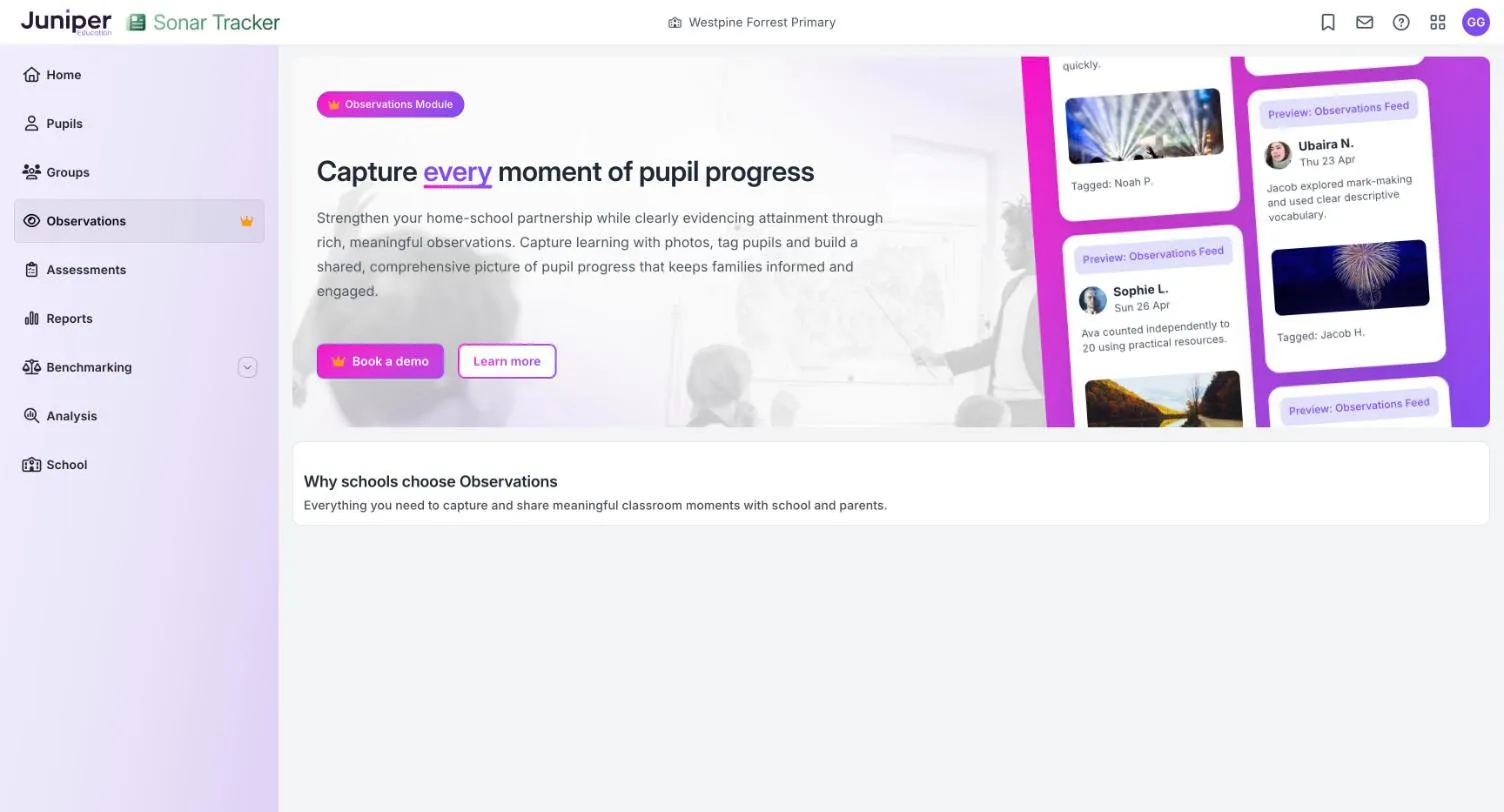
To add the module, your Account Owner can contact Juniper. See Get support and training.
Sonar observations and Awards & Activities
Section titled “Sonar observations and Awards & Activities”Juniper has two kinds of observation, and both can reach parents through the Juniper Education app:
| Observations in Sonar | Awards & Activities observations | |
|---|---|---|
| Where you make them | The Observations page in Sonar | Comms Hub |
| What they are for | Recording learning, with notes and photos | Recognising effort, behaviour and school values |
| Module needed | Observations | Awards & Activities |
Comms Hub calls Awards & Activities observations informal observations. Both kinds appear in the Comms Hub Approval Log, and one automatic approval setting covers both.
Observations in the EYFS
Section titled “Observations in the EYFS”You do not need observations to make EYFS judgements. The EYFS statutory framework for September 2026 (PDF) says assessment should not “require excessive paperwork”. Practitioners do not have to prove what children know with “any physical evidence”. The EYFS profile handbook says the same of the profile: “teachers are not required to record evidence”.
Gathering evidence can also take adults’ time away from children. Ofsted’s review of reception classes, ‘Strong foundations in the first years of school’ (October 2024), found that collating observations “created unnecessary work”. Evidence-gathering also favoured talkative children over quieter ones, “taking adults away from the children who most needed their support”.
Observations are most useful for recording significant moments and sharing them with families. Shared with home, a sentence or a photo of something new gives parents something specific to talk about with their child.
What observations do not do
Section titled “What observations do not do”Observations sit beside assessment in Sonar, but they are not:
- a way to record judgements: enter those on the Assessments pages, even if you’ve tagged an objective
- part of statutory assessment: EYFS profile results are entered separately
- a place for safeguarding concerns or behaviour incidents: record those in your school’s usual systems