


 Sisra Analytics
Assessment in Sonar
Assessment points and the school year
An assessment point is a time in the year when teachers record summative judgements, such as autumn 2. Reports compare one assessment point with another. Use this page to decide which points your school will use and how they fit around the statutory calendar.
The assessment points in Sonar
Section titled “The assessment points in Sonar”Sonar Tracker offers these assessment points in each academic year:
| Assessment point | Used for |
|---|---|
| Start of Year Baseline | A first judgement at the start of the year |
| Autumn 1, Autumn 2, Spring 1, Spring 2, Summer 1 and Summer 2 | Summative judgements, one point for each half term |
| End of Year Projection | Forecasts, entered on the Projection Pathway pages only |
On screen, each point shows with its academic year, such as 2026-2027 - Autumn 2. On the newer entry pages, the list groups the points by academic year, from Summer 2 back to Start of Year Baseline. For the current year it shows only the points reached so far, so in October you see Autumn 1 and Start of Year Baseline.
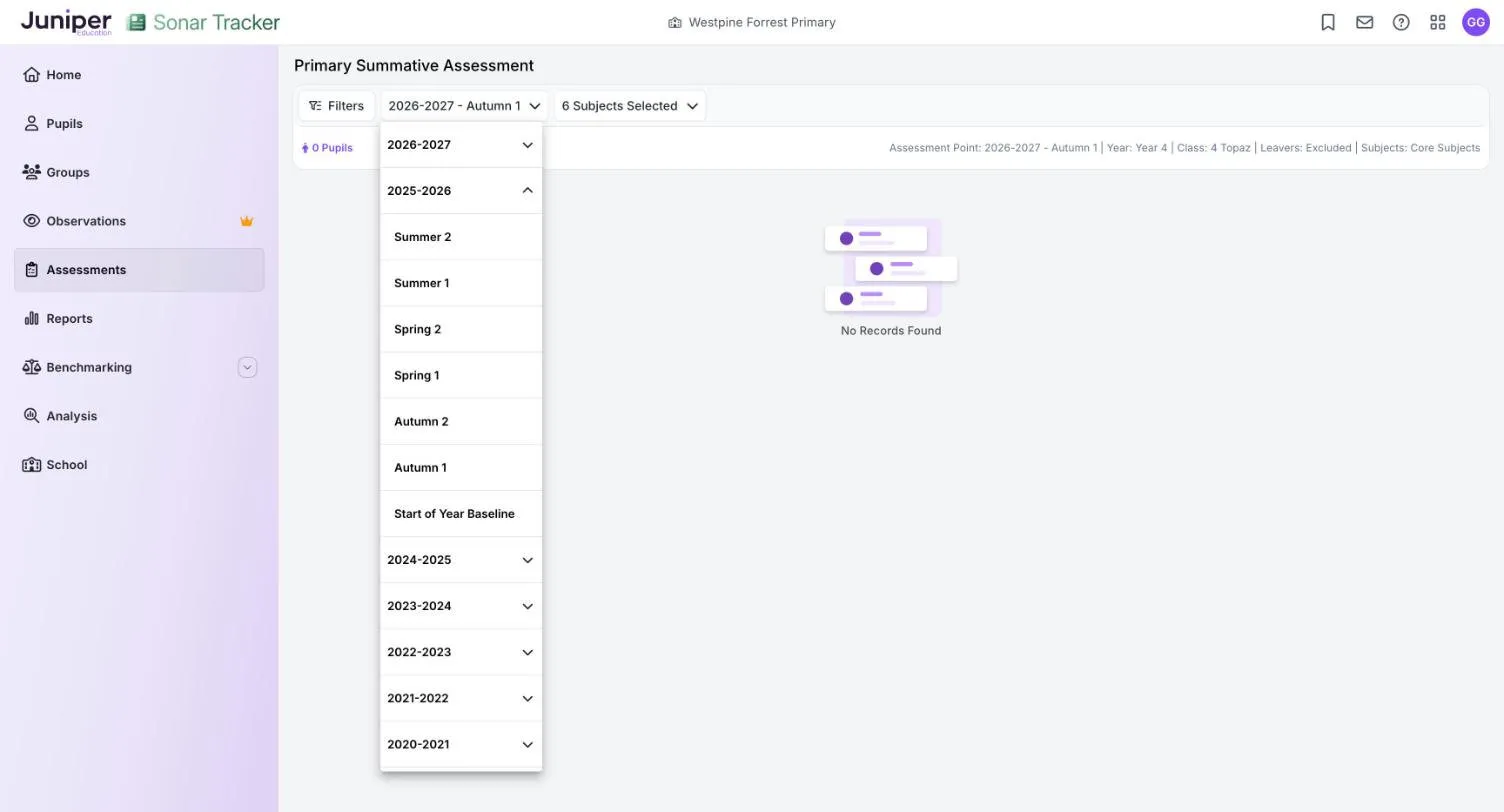
Juniper Education sets which assessment points your school sees; to change them, contact Juniper support. You do not have to use every point you can see.
Early in the academic year, the summative entry pages open on the start of year baseline. Once the autumn term begins, they open on the current assessment point, and the baseline stays in the list.
The start of year baseline
Section titled “The start of year baseline”A start of year baseline records where a pupil starts the year, before much has been taught. It matters most in reception. The statutory reception baseline assessment (RBA) takes place in the first 6 weeks of reception, but schools never receive the scores (RBA framework). So Sonar cannot hold RBA results. Record your own Start of Year Baseline judgement instead: Enter EYFS summative judgements has the steps.
Other year groups may not need a baseline, because last year’s summer 2 judgement already shows where most pupils start. Teachers can copy it forward and then review it (Copy judgements from an earlier point).
How many points you need
Section titled “How many points you need”Two or three summative assessment points a year are enough for most schools, and national guidance has said so since 2015. The Commission on Assessment without Levels found that recording summative data more than three times a year is unlikely to be useful. The DfE’s 2018 report ‘Making data work’ said schools should rarely need more than two or three attainment data collections a year. Each should be linked to clear actions.
In 2019 the education secretary asked trusts and local authorities to cut the attainment data they collect from schools (letter on data burdens). Inspection is no reason to collect more either, because Ofsted inspectors will not review internal data (What Ofsted inspectors look at).
Collecting less often saves real time. Sam Sims cites an informal poll that put each data drop at about 3 hours per teacher. He estimates that moving from half-termly to termly collection would save about 1.83 million teacher-hours a year (Sims, 2024). Yet in a Teacher Tapp survey in February 2025, 36% of teachers still submitted data every half term, though most schools collected termly.
Which points to choose
Section titled “Which points to choose”We suggest autumn 2, spring 2 and summer 2. By autumn 2, teachers know their class, and summer 2 gives the end-of-year judgement. These are also the only points where Benchmarking, an add-on module, compares your judgements with those of other Sonar schools.
Keep summer 2 whatever else you choose. The Primary Flight Path report shows each year’s summer 2 judgement, and next year’s teachers can copy it forward. If your school sees all six half-termly points, tell staff which ones to use, and do not ask for judgements nobody will act on.
A suggested calendar
Section titled “A suggested calendar”This calendar fits three summative points around the statutory assessments for the 2026 to 2027 academic year. The Standards and Testing Agency (STA) sets the statutory dates, so check Primary assessments: future dates each year.
| When | In Sonar | Statutory assessments in 2026/27 |
|---|---|---|
| September | Check pupils and classes after rollover. Record a start of year baseline in reception | RBA, in the first 6 weeks of reception |
| Late autumn term | Autumn 2 judgements, then pupil progress meetings | None |
| Late spring term | Spring 2 judgements, then pupil progress meetings | None |
| May | None | KS2 tests, 10 to 13 May 2027. Optional KS1 tests |
| June | Enter EYFS profile results and phonics marks | Multiplication tables check (MTC), 7 to 18 June. Phonics screening check, 14 to 18 June. KS2 teacher assessment due by 29 June. EYFS profile results due with the local authority by 30 June |
| July | Summer 2 judgements, then pupil progress meetings. Import KS2 and MTC results | KS2 results, 6 July 2027 |
Statutory assessment in Sonar explains how to enter and import each statutory result.
Rollover and the new academic year
Section titled “Rollover and the new academic year”When a new academic year starts, pupils move up a year group in Sonar, following your management information system (MIS). Judgements stay in the year they were made. Sonar does not carry them forward, so each new assessment point starts empty until someone enters or copies judgements.
Last year’s judgements are still there under last year’s assessment points: see Look at an earlier assessment point. Roles such as Full Edit can still change them, but Partial Edit and Minimal Edit can change the current academic year only. The new academic year explains what to check at rollover.
Targets and projections during the year
Section titled “Targets and projections during the year”Targets and projections are stored against assessment points too. Each End of Year Target belongs to a term. Many schools set one for summer 2 only; some set one for each assessment point they use. Targets cannot be copied from one term to the next.
An End of Year Projection has its own End of Year Projection point and can change during the year. Set targets and end-of-year projections explains both.